
Create social assets
Turn a campaign brief into social assets using your brand’s colours, typography and layout rules.
Give your team the brand guidance, assets and templates they need to create with AI. Keep creative direction and approval with your people.




As teams use AI to produce content, it becomes harder to keep outputs aligned with brand standards. Guidelines written for people don't always translate into instructions AI tools can follow. The Brand AI Toolkit bridges that gap, helping teams work faster while keeping brand decisions clear and reviewable.
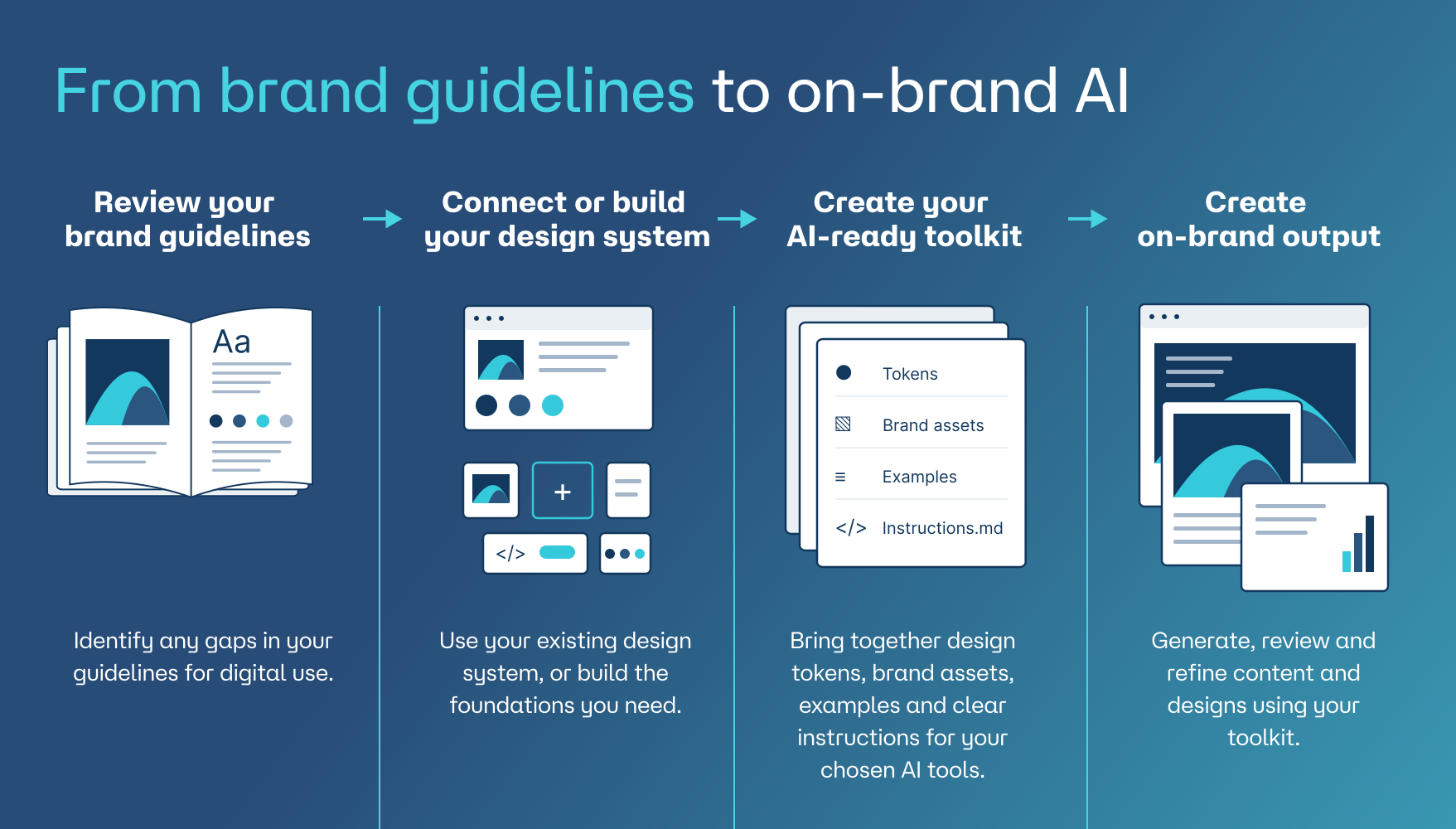
I developed the toolkit through work on Defaqto’s brand system, turning its visual guidance and design rules into instructions AI tools can use.
The brand hub brings guidance, assets and reusable templates together. A Submission Hub gives teams a place to send work for review, while an Approval Hub keeps approved and rejected submissions separate. People make the decisions.
Find your brand colours, copy the values you need and check how to use them, all in one place.
View the brand guidance your AI assistant draws on, so you can check it against the same source your team uses.
Access your brand artwork and image library, download what you need, and add new assets as your catalogue grows. Your AI assistant can refer to the same library.
Use the Creative Brief Wizard with your AI assistant to shape your audience, objective and message, drawing on the brand guidance in the hub.
Practical demonstrations of brand guidance, templates and instructions supporting AI-assisted creative work. People review and refine the results.
Turn a campaign brief into social assets using your brand’s colours, typography and layout rules.
Create an email from a brief, using approved styles and a reusable template.
Turn an outline into a presentation with consistent typography, layouts and charts.
Give your existing team and incoming hires a usable framework for applying brand guidance to campaigns and everyday communications.
Set clear creative standards and reusable starting points, while keeping judgement, direction and review with your people.
Support fintech, financial services, insurance and other teams that need clear brand guidance and human checks. Brand guidance works alongside your own compliance and approval requirements.
Extend brand services with a toolkit clients can use after handover. Bring guidance, assets and templates into their workflows, alongside their existing creative team.
Give people and AI tools the same rules for colour, typography, imagery and tone of voice.
Use instructions, templates and examples to create social assets, emails and presentations with your brand already in place.
Send work through the Submission Hub. Review it in the Approval Hub, keeping approved and rejected submissions separate and decisions with your team.
Update your guidance, assets and templates as your brand changes. Your team decides what becomes part of the shared toolkit.
Yes. Your guidance, assets, templates and instructions can be updated as your brand develops, keeping the toolkit useful as your needs change.
Yes. Describe what you need, who it’s for and what you want to achieve. The toolkit provides the brand context, and you can ask for changes or explore different approaches.
You can adapt the work for different audiences, channels and campaigns. The brand rules provide a consistent foundation, while your brief shapes the result.
The toolkit gives AI clear rules, approved examples and instructions for checking its work. These provide a reference point as you create and refine, helping keep the output aligned with your brand.
AI can still make mistakes. The toolkit helps by providing approved information and instructions to flag gaps or ask for clarification. Facts, claims and finished work still need checking before use.
Individual conversations don’t become approved brand guidance. Changes to the shared toolkit are made deliberately. Memory and data use depend on the AI platform and your account settings.
The brand hub brings your guidelines, approved assets, templates and examples together in one place. Your team can use it to find resources, understand the brand and support the work they create with AI.
Existing guidelines are a useful starting point. We can review what you have, identify gaps and bring your guidance and resources together into a practical toolkit.